


In the first two chapters of this guide, we explained how to use the order book and the basic order types.
Now that you’re familiar with the core tools in Coinbase’s Advanced Trading setup, it’s time to explore some of the more detailed charts available to you. These charts provide valuable insights and historical data that can help you make smarter trading decisions.
Coinbase is gradually introducing a range of advanced trading tools. This series breaks down many of the features and terms you’ll come across.
It’s important to note that much of this information isn’t limited to Coinbase or even crypto — these concepts apply broadly to anyone interested in trading or financial markets.
There’s also a video series that explains how these charts and tools work step-by-step, whether you’re using Coinbase through a browser or on the app.
Understanding Candlestick Charts
Before we explore more advanced charts and data tools, let’s start with the basics — candlestick charts. These are the most commonly used charts across all types of financial markets, including crypto, stocks, and commodities.
Here’s an example: imagine you’re viewing the BTC-USD candlestick chart on Coinbase Advanced Trading.
Candlestick charts quickly show whether the price of an asset went up or down during a specific period — and by how much. You can choose the time frame for each candlestick — it could represent one minute, one hour, one day, or more. And since crypto markets operate 24/7 (unlike stock markets), the “open” and “close” prices refer to the start and end of the selected time period, not a market opening or closing time.
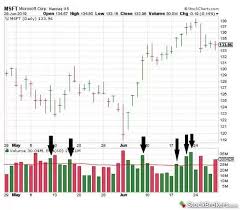
Candlestick charts display time along the horizontal axis and price along the vertical axis. But compared to simpler charts like line graphs, candlestick charts offer more detailed information. At a glance, you can see:
- The highest and lowest price of the asset during the time frame.
- The opening and closing price.
- Whether the price rose or fell during that time.
Each candlestick consists of a body and wicks:
- The body shows the opening and closing prices.
- The wick (the lines extending from the top and bottom of the body) shows the highest and lowest prices during that period.
Green candles indicate a price increase — the open is at the bottom of the body, and the close is at the top.
Red candles indicate a price drop — the open is at the top of the body, and the close is at the bottom.
Now that you understand candlesticks, you can move on to more advanced charts, which are especially useful in technical analysis. This strategy involves studying past price movements to help predict future trends. Coinbase’s Advanced Trading platform gives you access to a variety of indicators and charts that can strengthen your trading strategy.
Key Chart Indicators to Learn
Advanced charting tools allow you to see what’s happening behind the scenes of each trading pair. They help traders analyze patterns, study past trends, and form opinions about potential future movements. Below are four popular indicators that many traders use:
- Relative Strength Index (RSI)
- Simple Moving Average (SMA)
- Exponential Moving Average (EMA)
- Moving Average Convergence Divergence (MACD)
Keep in mind: No indicator alone can predict future market moves. Experienced traders usually combine multiple tools to get a better picture of what’s happening.
1. Relative Strength Index (RSI)
The RSI is one of the most widely used tools in technical analysis. It measures how strong an asset’s recent price movements have been over a specific time period. In simpler terms, the RSI tells you how strongly people are buying or selling an asset during that time.
On Coinbase’s Advanced Trading screen, you’ll often see the RSI chart displayed just below the main candlestick chart. The RSI line moves between 0 and 100. The value is calculated by dividing the asset’s average gains by its average losses over the selected period.
For example, if the chart is set to a 10-day RSI, it’s analyzing price strength based on the average gains and losses of the past 10 days.
Most traders look for these two key levels:
- Above 70: The asset might be overbought, meaning the price could be due for a slowdown or even a reversal.
- Below 30: The asset might be oversold, meaning it could be undervalued or ready for a potential bounce back.
However, it’s essential to understand that “overbought” doesn’t mean you should sell, and “oversold” doesn’t mean you should buy. These are just signals that momentum may be shifting, not guarantees.
Because RSI alone doesn’t tell the whole story, most experienced traders use it alongside other tools like moving averages.
2. Simple Moving Average (SMA)
The Simple Moving Average (SMA) helps smooth out price data over a specific time frame. It shows the average price of an asset over a chosen period, helping you understand the general price direction.
Let’s say you’re looking at a 50-day SMA. That means the first data point on the SMA line is the average of the past 50 days’ prices. On your Coinbase chart, this appears as a blue line laid over the candlestick chart.
Here’s how traders interpret it:
- If the SMA line is sloping upward, it can be a sign that the market is in an uptrend.
- If the asset’s price falls below the SMA, it might signal a reversal of that trend.
The SMA is a great starting point for identifying long-term trends and potential changes in market direction.
3. Exponential Moving Average (EMA)
The Exponential Moving Average (EMA) is very similar to the SMA, but it puts more emphasis on recent prices. This makes it a more responsive indicator for short-term market changes.
Because it reacts faster to price movements, the EMA line tends to move more sharply than the SMA. This can help traders spot trend reversals earlier. For example:
- If the EMA suddenly shifts upward after a downward trend, it could signal a bullish reversal.
- If the EMA turns downward after an upward trend, it could suggest a bearish move ahead.
On your Coinbase chart, you might see the EMA line in purple — again layered over your candlestick chart for easy comparison.
4. Moving Average Convergence Divergence (MACD)
The MACD is a more advanced indicator that uses two EMAs — the 12-day EMA and the 26-day EMA. The MACD line is the result of subtracting the 26-day EMA from the 12-day EMA.
But that’s not all. The MACD is compared against another line — the signal line, which is the 9-day EMA. You’ll also see a histogram — a series of green and red bars that resemble a mountain range — representing the difference between the MACD line and the signal line.
Here’s how traders use it:
- When the MACD line crosses above the signal line, it can be a sign of bullish momentum.
- When the MACD line crosses below the signal line, it may indicate bearish momentum.
The greater the distance between the MACD and signal line, the stronger the trend signal. That’s where the histogram helps — the taller the bars, the bigger the difference, and the more powerful the momentum.
Final Thoughts on Advanced Charts
Advanced trading tools and indicators can seem confusing at first. But with practice, you’ll get better at reading them and using them to make informed decisions. Over time, you’ll be able to quickly scan a screen full of charts, recognize key patterns, and feel more confident in choosing when to buy or sell.
Remember: no single chart tells the full story. The best traders combine different indicators to cross-check signals and build stronger strategies. Keep learning, stay observant, and don’t rush decisions based on just one piece of information.
Disclaimer: Coinbase offers both basic and advanced trading options. Advanced Trading is designed for experienced users and follows its own set of trading rules.
Fees may differ between trading options. This content is for educational purposes only and should not be taken as investment advice. Trading cryptocurrencies involves risk.
Join Gen Z New WhatsApp Channel To Stay Updated On time
https://whatsapp.com/channel/0029VaWT5gSGufImU8R0DO30
